

Chat with residents or security guards 📲
Here's how to chat with residents and security guards within the Munily app.
How do I chat with residents and security guards?
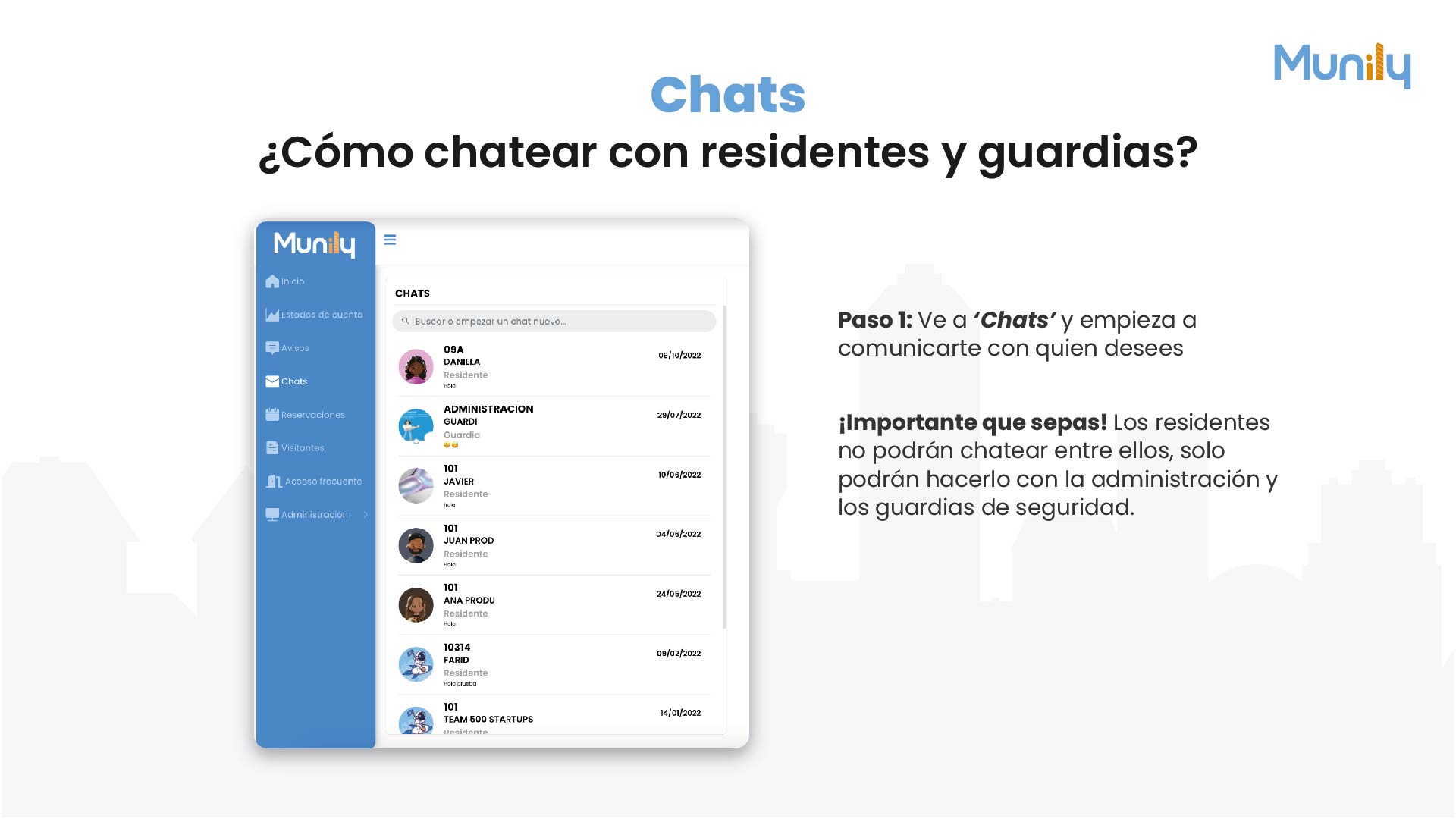
Step 1: Go to “Chats (Chats)” and start chatting with whoever you want.
In the left sidebar of the app, you’ll find a menu with several options. Look for and click the option that says “Chats”.
When you select “Chats,” a section will open where you can view all your existing conversations and start new ones.
At the top of the “Chats” section, you’ll see a search field that says: “Search or start a new chat...”. Here, you can type the name of the person or group you want to chat with.
Below the search field, a list of your current chats will be displayed. Each chat includes the contact’s name, their role (resident or security guard), and the date of the last message.
Important to know! Residents cannot chat with each other; they can only chat with the property management team and security guards.
Examples of chats you might see:
- 09A DANIELA - Resident (Last message: 10/09/2022)
- ADMINISTRACION GUARDI - Security Guard (Last message: 07/29/2022)
- 101 JAVIER - Resident (Last message: 08/10/2022)
- 101 JUAN PROD - Resident (Last message: 06/04/2022)
- 101 ANA PRODU - Resident (Last message: May 24, 2022)
- 10314 FARID - Resident (Last message: Feb. 9, 2022)
- 101 TEAM 500 STARTUPS - Resident (Last message: 01/14/2022)
To start a conversation or continue an existing one, simply click on the name of the contact you want from the list.
Video tutorial: https://www.youtube.com/watch?v=BtGwbYSOUZQ
Guide images
Guide video
Still need help? Reach us on WhatsApp or at soporte@munily.com.
Con Amor 💙 Munily