

Check in as a visitor and share a Fastpass Munily! 📥
With Munily, sharing a Fast Pass with your visitors is very easy. Follow these steps:
Step 1: Tap the “FastPass” button and enter the date and time of the visit
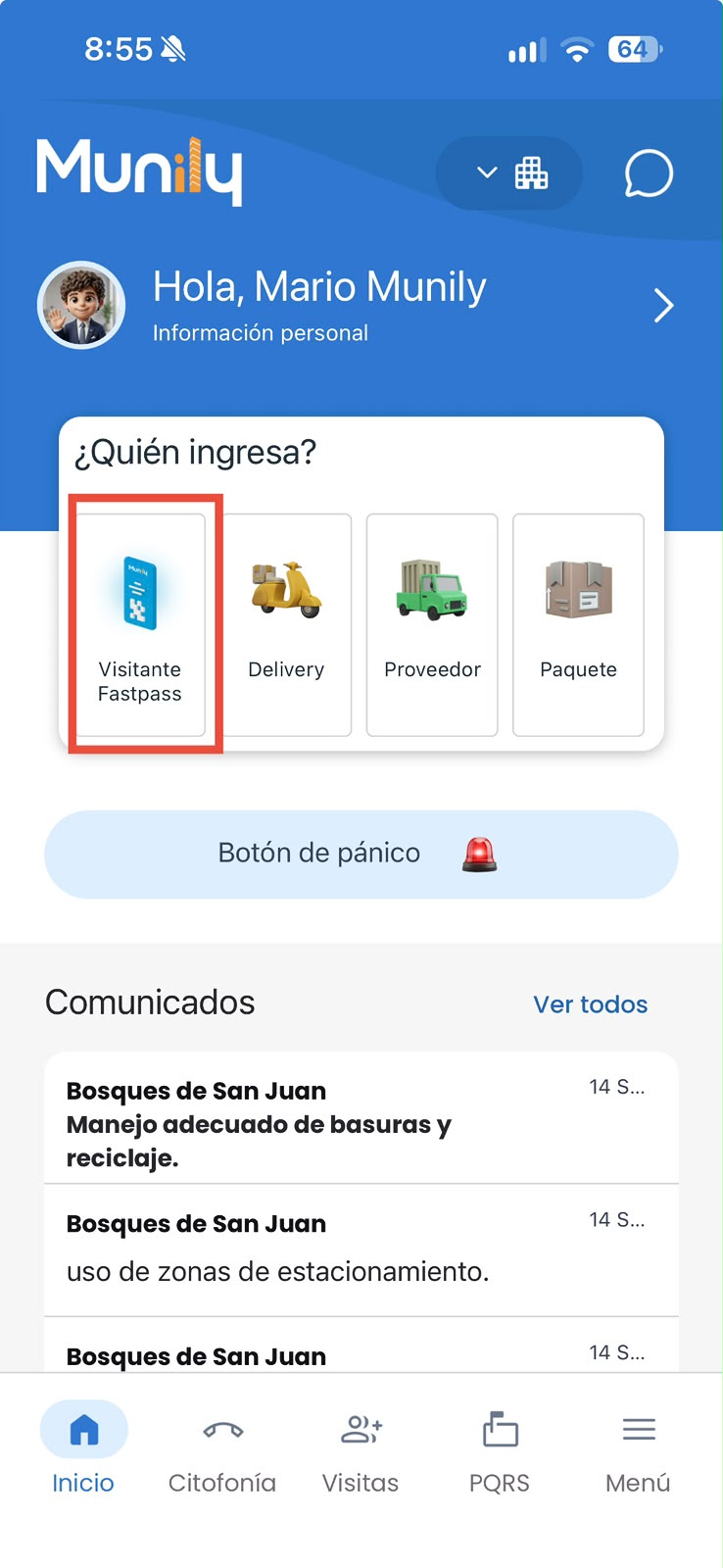
- On the main screen of the Munily app, locate and tap the “Visitas (Visits)” button.
- In the “Visitas” section, you’ll find several icons. Select the icon labeled “Fast Pass”.
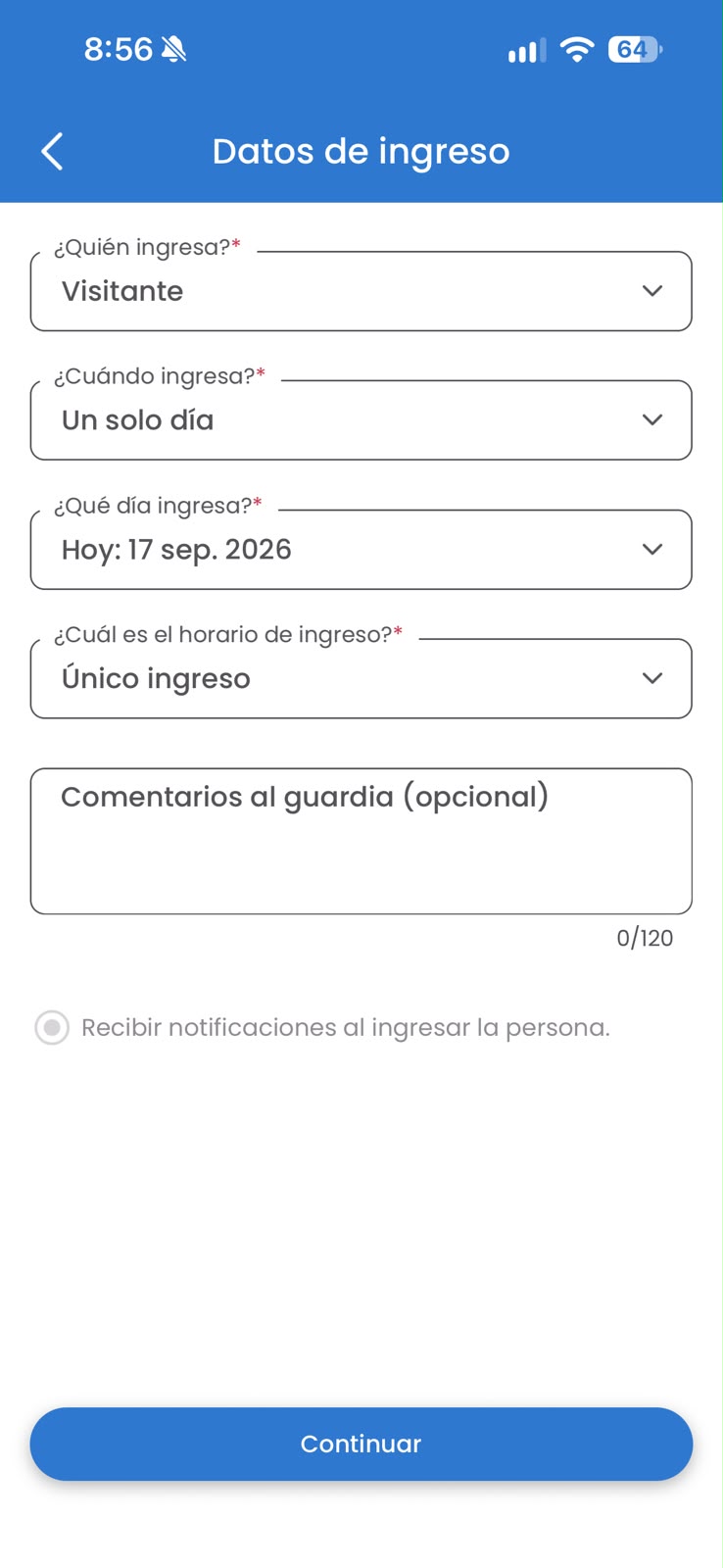
- A pop-up window titled “When are you visiting?” will appear. Here you can select the date and time of your visit.
- You’ll see a calendar with available dates. Tap the desired date. For example, if you want to schedule a visit for "Fri, Sept 30, 19", tap it.
- Once you’ve selected the date, you’ll see the available time slots.
- Finally, tap the "Confirm" button to save the visitor information.
Step 2: Select the contacts you want to share the invitation with, and you’re all set! Your contacts will receive the invitation via WhatsApp
- After confirming the visit, you’ll be taken to a screen to select who to invite.
- At the top, you’ll see a search field labeled "Enter your guest’s name". You can type the name of the person who will be visiting.
- Below the search field, you’ll find two options: “Reason for the FastPass” and “Comment for the security guard”. You can add details if you wish.
- You’ll see a “Selected” section where the person you’ve chosen will be displayed. In the example, "Juan Ejemplo" is shown with a checkmark icon.
- Further down, you’ll find a list of "Recommended" and "Contacts". You can select people from these lists by tapping the circle to the right of their name.
- Once you’ve selected your guest (or guests), tap the blue "Send" button at the bottom of the screen.
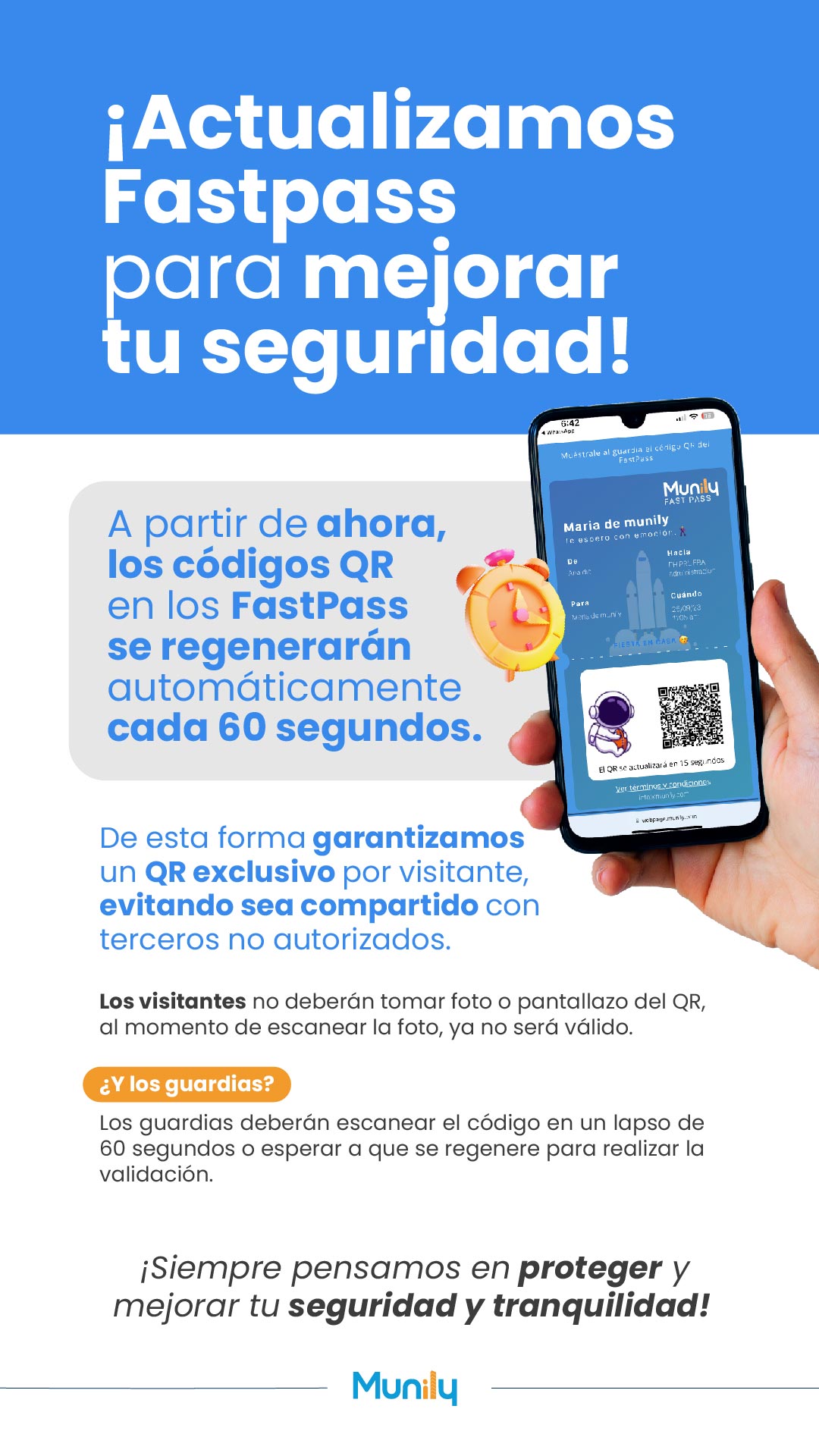
That’s it! Your guest will receive the invitation via WhatsApp with all the details of their visit, including a QR code for quick access. On the final screen, you’ll see the Munily FAST PASS generated for Juan Ejemplo, with the visitor information and the QR code.
Guide images
Still need help? Reach us on WhatsApp or at soporte@munily.com.
Con Amor 💙 Munily