

How do I change my password?
Follow these simple steps to change your password.
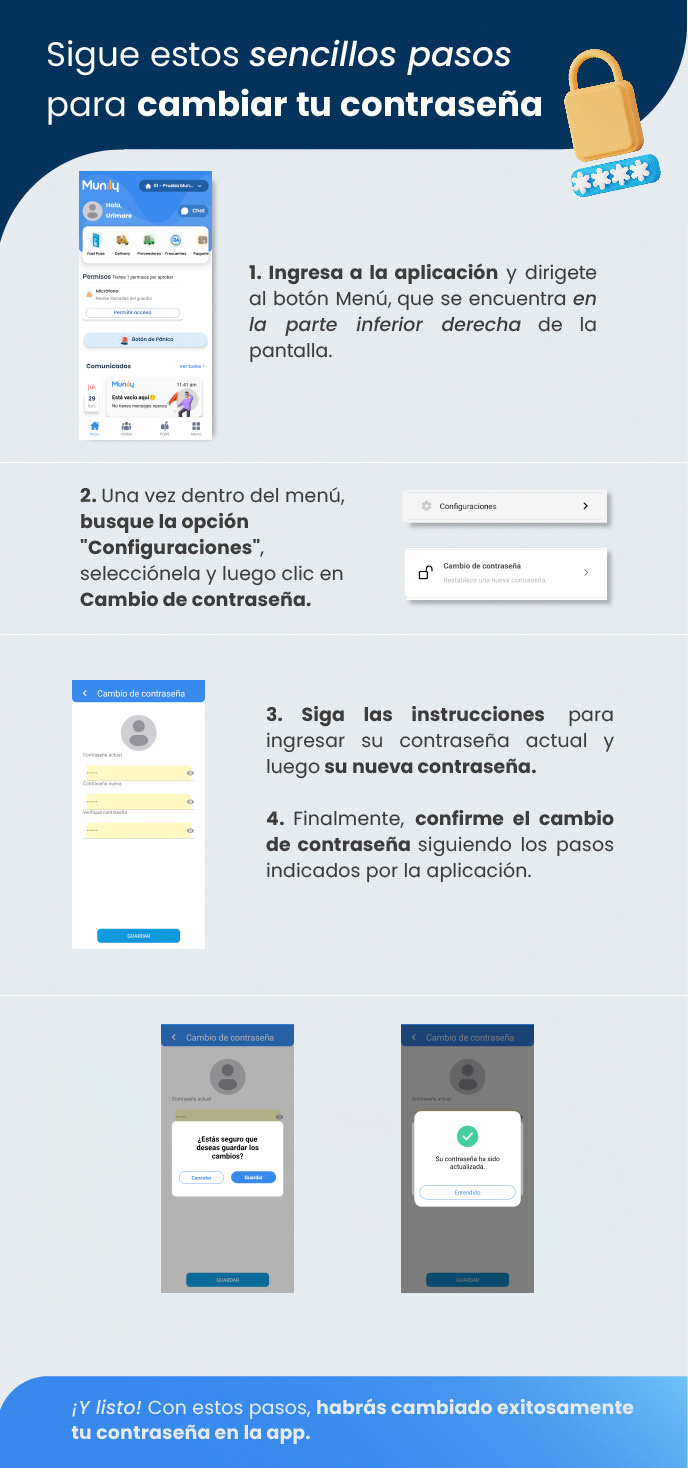
Open the app and tap the Menú (Menu) button, located in the bottom-right corner of the screen.
Once in the menu, find the "Configuraciones (Settings)" option, select it, and then tap Change Password.
Follow the instructions to enter your current password and then your new password.
Finally, confirm the password change by following the steps provided by the app.
And that’s it! By following these steps, you’ve successfully changed your password in the app.
Guide images
Still need help? Reach us on WhatsApp or at soporte@munily.com.
Con Amor 💙 Munily