

How do I change the status of an area?
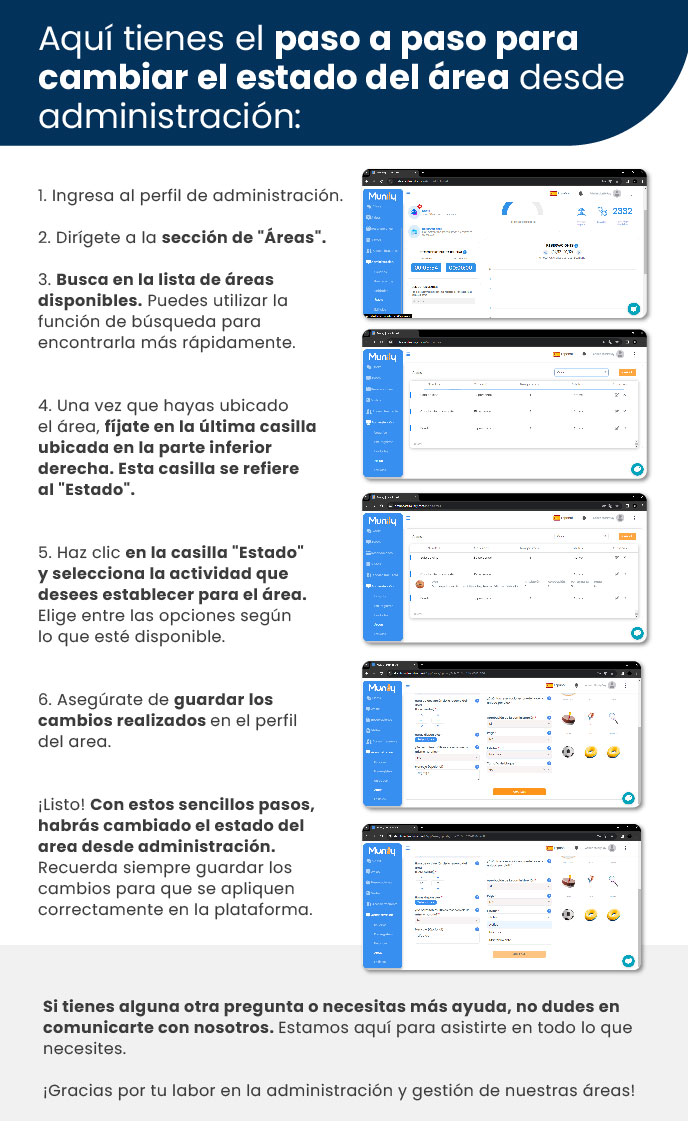
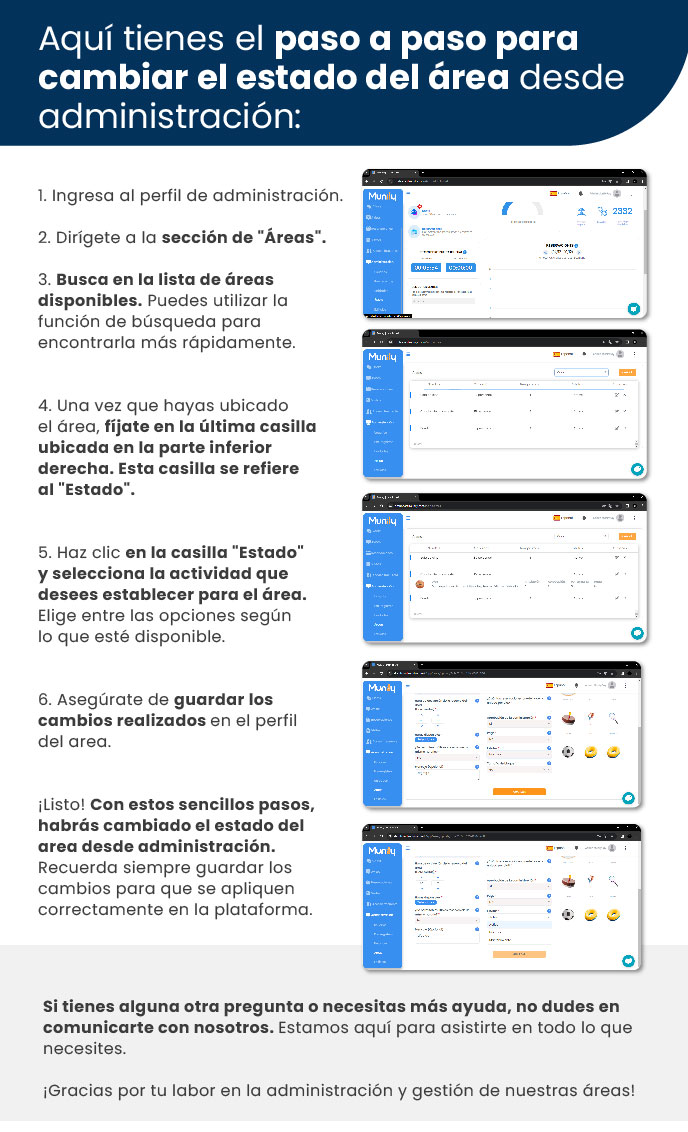
Here are the step-by-step instructions for changing the status of an area from the property management panel:
- Log in to the property management panel.
- Go to the “Áreas (Areas)” section.
- Browse the list of available areas. You can use the search function to find it more quickly.
- Once you’ve located the area, look at the last field in the bottom-right corner. This field refers to the “Status.”
- Click the “Status” box and select the status you want to set for the area. Choose from the available options.
- Be sure to save the changes you’ve made to the area’s profile.
That’s it! With these simple steps, you’ve changed the area’s status from the property management panel. Always remember to save your changes so they’re properly applied to the platform.
If you have any other questions or need further assistance, please don’t hesitate to contact us. We’re here to help you with whatever you need.
Thank you for your work in property management and area management!
Guide images
Still need help? Reach us on WhatsApp or at soporte@munily.com.
Con Amor 💙 Munily