

How do I update the app? 🚀
Update the app and stay up to date on new features!
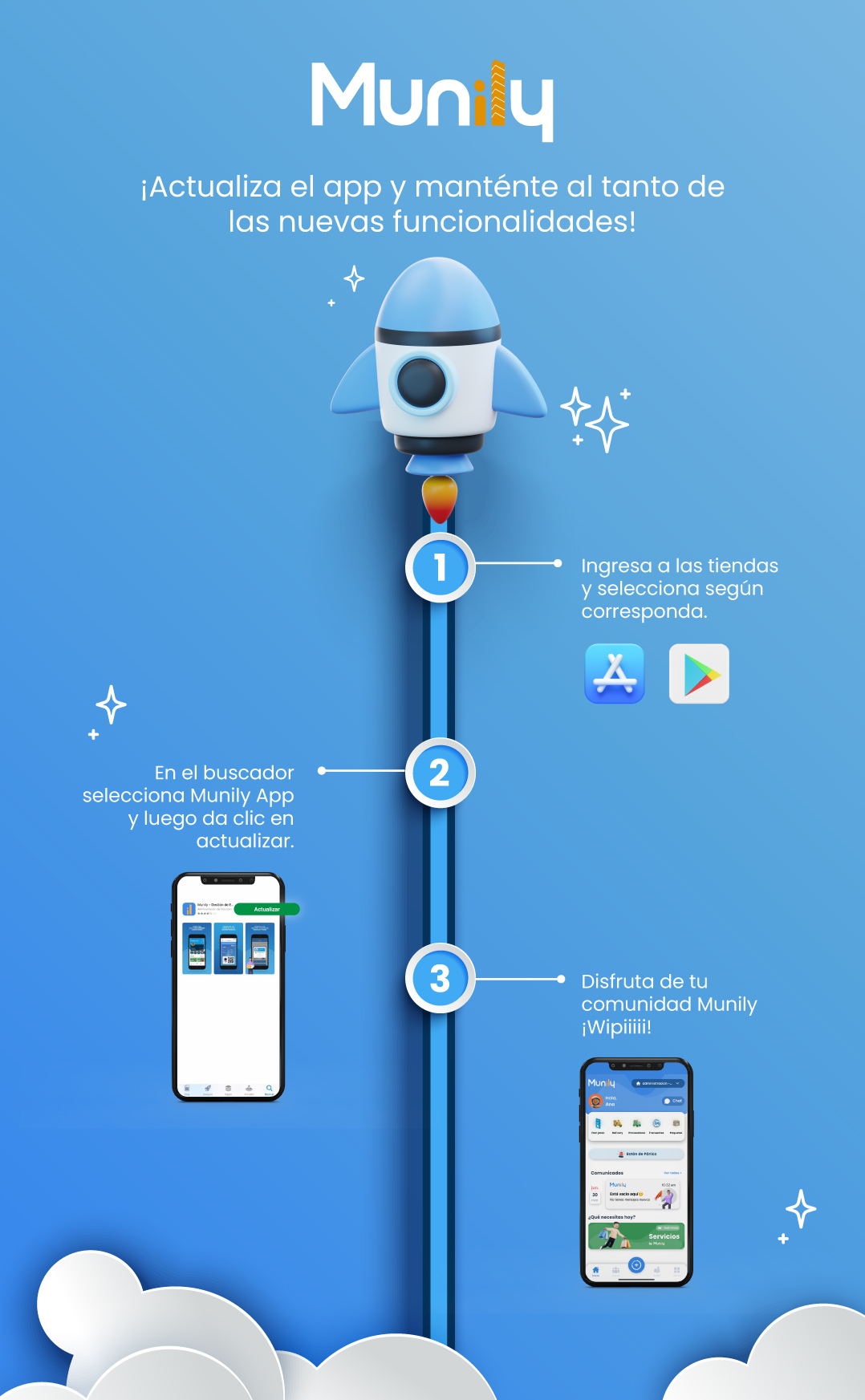
Follow these steps to keep your Munily app up to date:
Go to the app store and select the appropriate option.
- If you're using an iOS device, look for the App Store icon (a blue square with a white "A").
- If you’re using an Android device, look for the Google Play Store icon (a colorful triangle).
In the search bar, select “Munily” App, then tap “Update.”
- You’ll see a screen on your phone showing the “Munily” app.
- Find and tap the green button that says "Update."
Enjoy your Munily community! Woo-hoo!
- Once updated, you’ll be able to enjoy all the new features and improvements in your Munily app.
- The final screen shows an example of what the Munily app looks like with its different sections, such as "Communities," "News," and "Services."
Guide images
Still need help? Reach us on WhatsApp or at soporte@munily.com.
Con Amor 💙 Munily