

How do I view my frequent access passes? 🙋🏻
Sure! Here are the instructions for viewing frequent accesses on Munily:
How do I view Frecuentes (Frequent) visits?
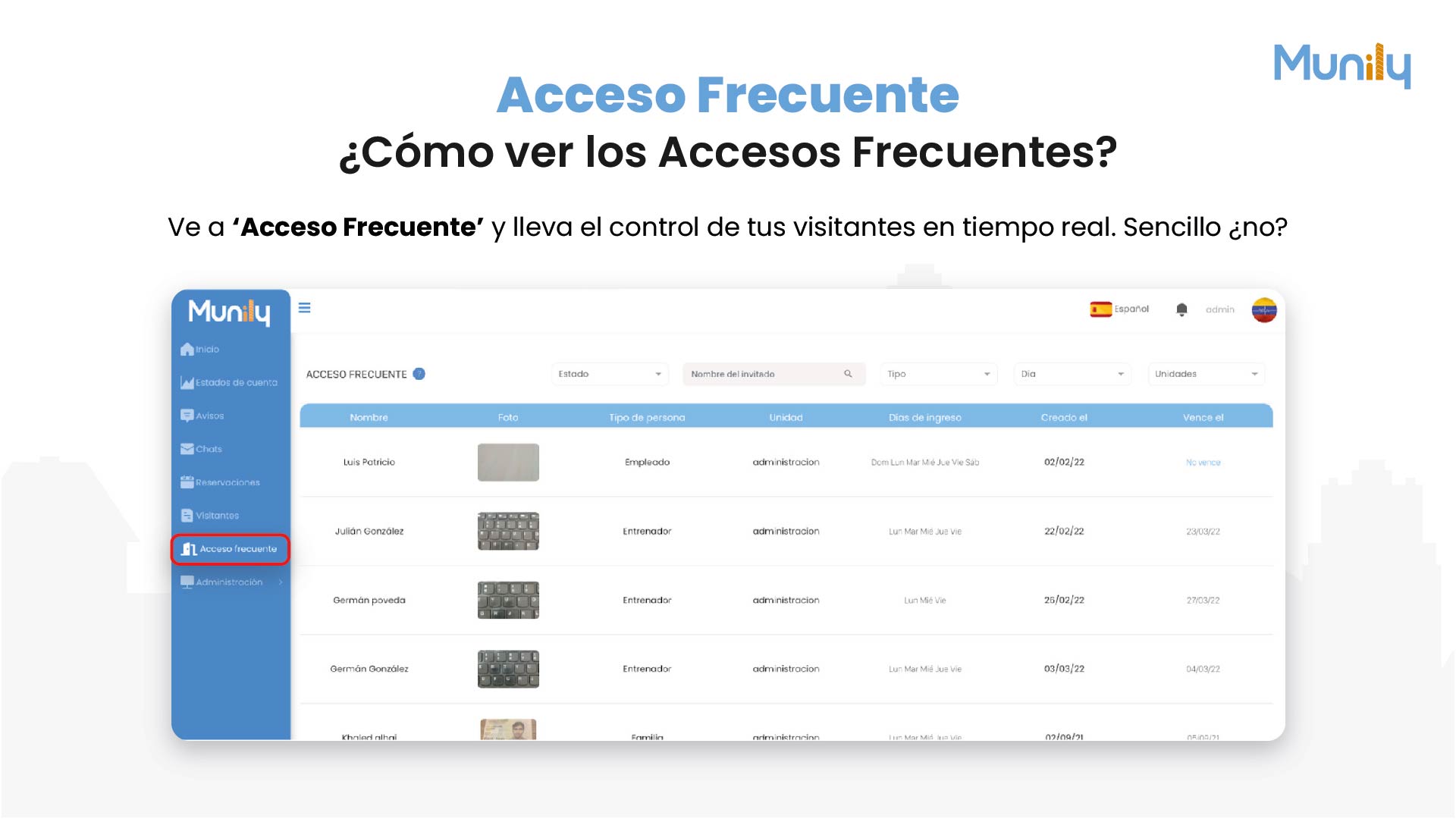
Go to 'Acceso Frecuente (Frequent Access)' and track your visitors in real time. It's that simple!
Steps to follow:
In the left-hand side menu, find and click the "Acceso Frecuente" option. You’ll see an icon of a person holding a key.
- Visual cue: A red arrow highlights the "Acceso Frecuente" option in the side menu.
Once inside the “Acceso Frecuente” section, you’ll see a table with information about registered accesses.
- Table headers:
- Name: Displays the name of the person with frequent access pass.
- Photo: Displays a photo of the person.
- Person Type: Indicates the visitor’s category (e.g., Employee, Coach, Family).
- Unit: Specifies the unit to which the access belongs.
- Days of Access: Lists the days of the week on which access is permitted.
- Created On: Displays the date the access was registered.
- Expires on: Indicates the access expiration date, if applicable.
- Table headers:
Search filters: Above the table, you’ll find options to filter the information:
- Status: You can filter by the access status.
- Guest Name: Enter a name to search for a specific guest. There is a magnifying glass icon to start the search.
- Type: Filter by guest type.
- Day: Allows you to filter by entry date.
- Unidades (Units): Filters by unit.
By following these steps, you can easily view and manage frequent access passes for your building or residential community.
Guide images
Still need help? Reach us on WhatsApp or at soporte@munily.com.
Con Amor 💙 Munily