

How does a virtual intercom system work?
Here’s how to use the “Citofonía (Virtual Intercom)” feature on Munily:
What is “Citofonía”?
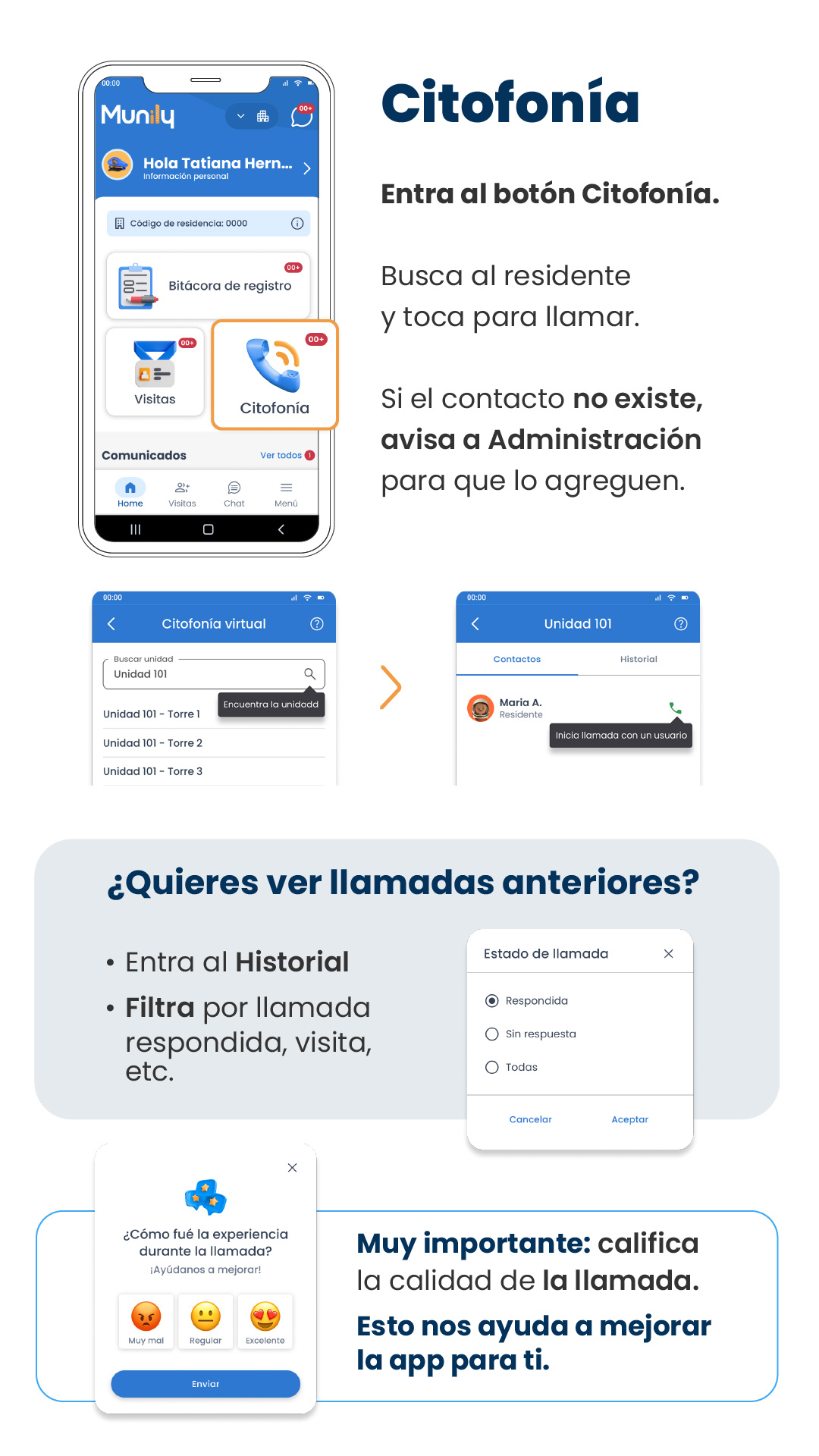
“Citofonía” lets you communicate directly with other residents in your building or residential community.
Steps to make a call:
Access the “Citofonía” feature: On the main screen of Munily, locate and tap the “Citofonía” button. This button has a phone icon.
Search for the resident: Once in “Citofonía,” you can search for the resident you wish to call.
Start the call: Tap the resident’s name to start the call.
What to do if the contact doesn’t exist?
If the contact you’re looking for doesn’t appear in the list, please notify the Administración (Administration) for your building or residential community so they can add it.
How do I view past calls?
If you want to review your call history:
Go to Historial (History): Navigate to the “Historial” section.
Filter your calls: You can filter calls by status, for example:
- Answered
- Unanswered
- All
Select the option you prefer and tap OK.
Rate your experience:
After each call, a window will appear asking: "How was your experience during the call? Help us improve!"
You can rate your experience by selecting one of the following options:
- Very Poor (with an angry face emoji)
- Fair (with a neutral face emoji)
- Excellent (with a happy face emoji with hearts in its eyes)
Once you’ve selected your rating, tap the Submit button.
Very important! Rating the call quality helps us improve the app for you.
Guide images
Still need help? Reach us on WhatsApp or at soporte@munily.com.
Con Amor 💙 Munily