

Why isn't my app making any sound? 💙 #Android
Is my app not making any sound?
Don't worry! Here's how to fix it in 3 easy steps:
Step 1:
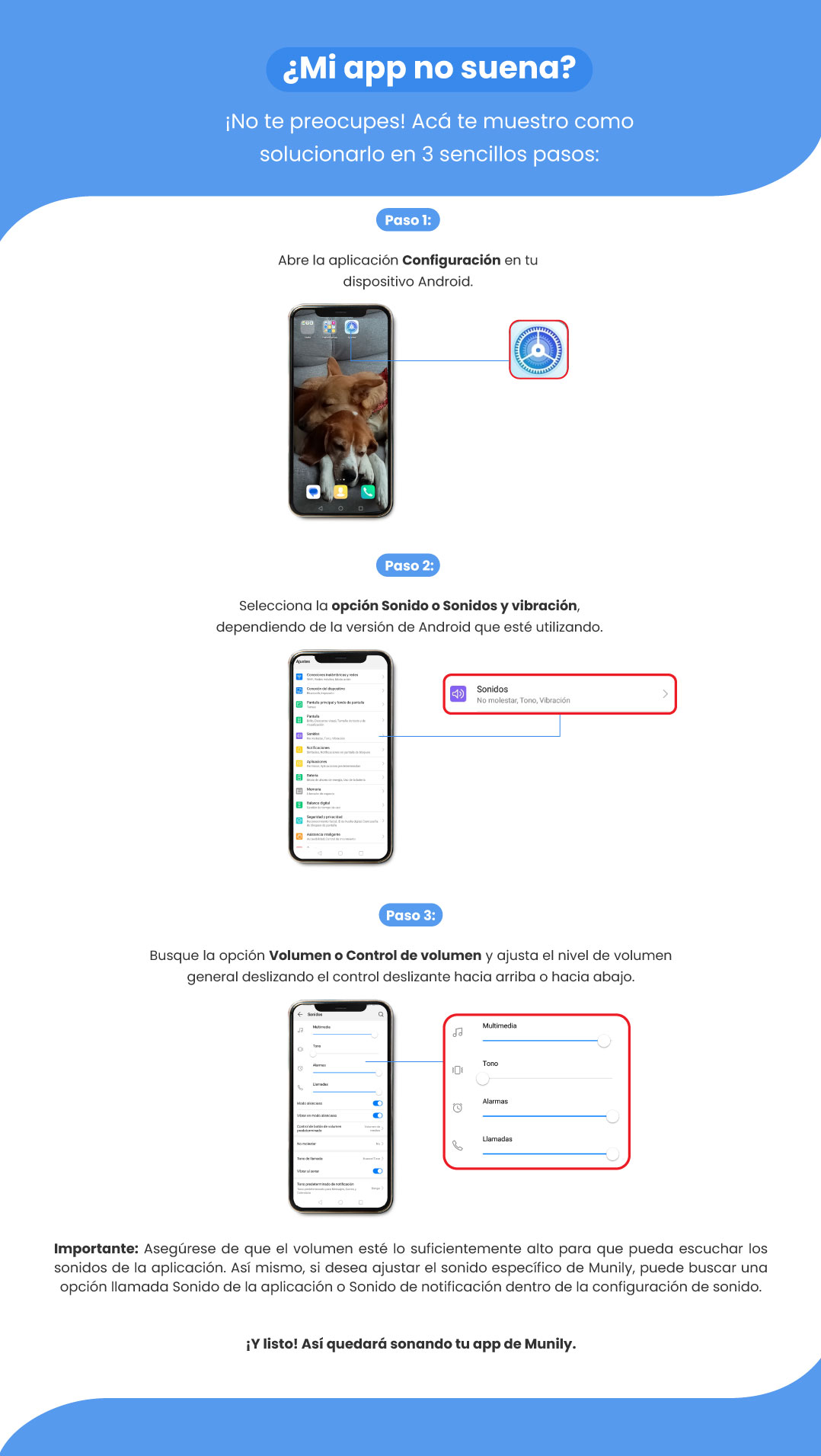
Open the Settings app on your Android device.
Step 2:
Select the Sound or Sounds & Vibration option, depending on the version of Android you’re using.
Step 3:
Look for the Volume or Volume Control option and adjust the overall volume level by sliding the slider up or down.
Important: Make sure the volume is high enough so you can hear the app’s sounds. Also, if you want to adjust the specific sound for Munily, look for an option called App Sound or Notification Sound within the sound settings.
And that’s it! Now your Munily app will play sounds.
Guide images
Still need help? Reach us on WhatsApp or at soporte@munily.com.
Con Amor 💙 Munily